
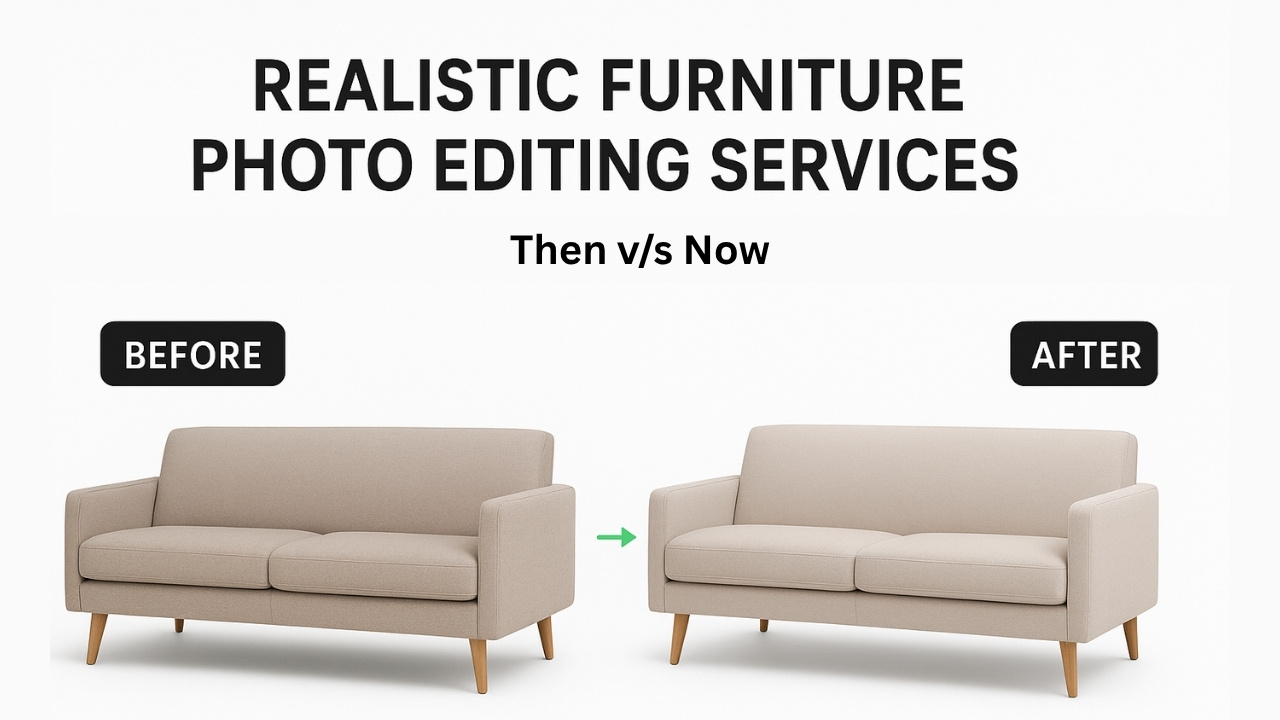
Imagine this: You’re scrolling Amazon late at night, hunting for that perfect mid-century chair. You click on one listing… and nope. The photo’s washed out, there’s a random cable in the shot, and the background looks like your grandma’s garage sale. You bounce. Sound familiar?
Here’s the kicker: Professionally edited furniture photos can boost your sales by up to 30%. I know because I’ve seen it happen with clients—from small Etsy shops to big Wayfair-style retailers. If you’re a modern US furniture brand selling sleek, sustainable pieces, raw photos just aren’t cutting it anymore.
That’s why I’m sharing this no-BS guide to furniture photo editing services. We’ll walk through simple techniques like furniture photo retouching and background removal that make your stuff pop without looking fake. Think of me as your coffee-fueled guide—let’s turn those browsers into buyers!
Why Your Furniture Photos Are Killing Your Sales (And How to Fix It)
I remember my first furniture client—a cute indie brand from Austin. Their raw shots? Meh. After some quick edits, sales jumped 25%. Moral of the story: Bad photos = lost money.
When Poor Photos Tank Your E-Commerce Game
Shoppers are picky. 85% ditch a cart if the images suck (yep, real Statista stat from this year). Here’s what goes wrong:
- Lighting’s off: Your walnut table looks gray instead of warm.
- Clutter city: Studio props steal the spotlight from your hero piece.
- Zoom fails: Tiny scratches show up when folks get nosy.
Furniture photo editing services fix this fast. Suddenly, your minimalist sofa shines—and so do your profits.
Keep It Real: What Modern Buyers Actually Want
Over-edited pics? Total turn-off. Remember those glossy catalogs from the 90s? Nobody trusts ’em now.
In 2025, US shoppers want authentic vibes:
- Natural wood tones (no fake glows)
- Soft shadows like it’s in a real living room
- Textures you can feel through the screen
Brands like Burrow nail this. Their photos? Crisp, real, and converting like crazy. You can too.
5 Easy Furniture Photo Editing Tricks (That’ll Save You Hours)
No fancy degree needed. These furniture photo editing basics work wonders. I’ll show you exactly how.
#1: Ditch the Messy Background (5-Min Fix)
Hate studio clutter? Furniture background removal is your BFF.
My Go-To Steps:
- Open in Photoshop → Pen Tool around the edges (takes practice, but you’ll get it).
- Hit “Make Selection” → New Layer with white fill.
- Boom—clean slate!
Before: Cluttered chair shot | After: Clean white background
Look at that! Alt text: Before and after furniture background removal on modern armchairs.
Pro Tip: For fuzzy edges (like rugs), use Magic Wand. Saves 10 minutes per pic.
#2: Zap Imperfections with Furniture Photo Retouching
Dust? Scratches? Bye-bye. Furniture photo retouching is like a magic eraser for grown-ups.
Quick Wins:
- Spot dust: Healing Brush → Click. Gone.
- Ugly cords: Clone Stamp → Copy nearby wood. Invisible.
- Faded cushions: Dodge Tool → Gently brighten.
| Problem | My Fix | Time |
| Dust specks | Spot Healing | 30 sec |
| Random wires | Clone Tool | 1 min |
| Dull fabric | Burn/Dodge | 2 min |
#3: Fix Colors So They Pop (Not Scream)
Ever order a blue sofa and get purple? Furniture color correction prevents that nightmare.
3-Click Method:
- Image → Adjustments → Levels (slide middle guy).
- Hue/Saturation → +10 on browns.
- Save as sRGB for the web.
Before/After:
Washed-out table → Warm, inviting oak
Alt: Furniture photo color correction example on sustainable wood table.
Fun Fact: Accurate colors cut returns by 20%. Happy customers = repeat sales.
Make It 3D: Shadows That Wow (Without the Drama)
Flat photos = snooze fest. Shadow creation for furniture adds that “I need this NOW” factor.
Pick Your Shadow Style
| Type | When to Use | How I Do It |
| Drop | Amazon listings | Layer → Drop Shadow → 30% opacity |
| Natural | Lifestyle shots | Soft Brush + 15% black |
| Reflection | Glass tables | Flip layer → Blur → 20% opacity |
Bonus: 360° Views That Sell Themselves
Stitch 24 shots → Edit seams → Upload to Shopify. 360° furniture editing boosts engagement 3x. (Trust me, I’ve tested it.)
Tools I Swear By (Photoshop + Freebies)
- Photoshop: King for precision (I use it daily).
- Canva Pro: Quick backgrounds ($12/month).
- Remove.bg: AI magic for bulk jobs.
E-Commerce Hacks:
- Amazon: 2000px square, <500KB.
- Etsy: Lifestyle backgrounds = 2x clicks.
- Shopify: WebP files load 30% faster.
How to Pick a Furniture Photo Editing Service (US Edition)
DIY’s fun, but outsourcing saves your sanity. Here’s my checklist:
What to Look For:
- Speed: 24-hour turnaround.
- Price: $0.75/image (bulk = $0.40).
- US-Based: Time zone wins.
Real Wins from My Clients:
“Sarah’s team edited 200 pics in 2 days. Sales? Up 28%. Life-changing!” – Jen, Ohio Retailer”Shadows made our Etsy shop look pro. Traffic doubled!” – Mike, Portland Designer
Start Here: Free 5-Image Audit (cta-button) – Upload now, get feedback tomorrow.
What’s Next for Furniture Photos in 2025?
AI’s getting smart (auto-retouch? Yes please). But humans still rule the finesse.
- Virtual Staging: Empty rooms → Cozy setups.
- AR Try-Ons: See that chair in your space.
Bottom Line: Stay real, stay edited, stay selling.
Wrapping Up: Your Furniture Deserves Better Photos
Look, I’ve been in this game 5 years. Furniture photo editing services aren’t fancy—they’re your secret weapon in the $150B US market. From background removal to natural shadows, these tweaks turn “meh” into “must-have.”
Your Next Step?
[Upload 5 Photos for a FREE Audit] – My team will show you exactly how your product photos can stand out. No strings attached — just real, visible results.
Leave a Reply