
Social media has changed the way images are posted online, and image editing is now considered a routine process in making engaging posts. If you post photos of workouts, make humorous edits, or create some photo manipulations, then an ABS editor will help you get a toned physique without going to the gym.
ABS photo editing software combines artificial intelligence and sophisticated editing capabilities in order to enhance muscles in the photo. Automatic body editing options, or manually adjusting the shadow, highlight, and muscles, are among the most popular ways of using this software.
This article will help you understand what ABS picture editing software is, how it works, which tools to use for getting a realistic effect, and how not to make your photos too artificial.
What Is an ABS Editor?
ABS photo editor is a tool that helps you edit your photos in order to add or improve the abdominal muscles in the picture. In other words, it does not make any physical change on your body but simply edits your pictures in such a way that you seem to have well-built abs.
Some ABS photo editors use artificial intelligence technology to recognize the body shape and automatically apply realistic muscle textures, whereas others give you manual editing options.
ABS photo editors are commonly used for various purposes including fun, making social media posts, getting fitness inspirations, and doing other projects.
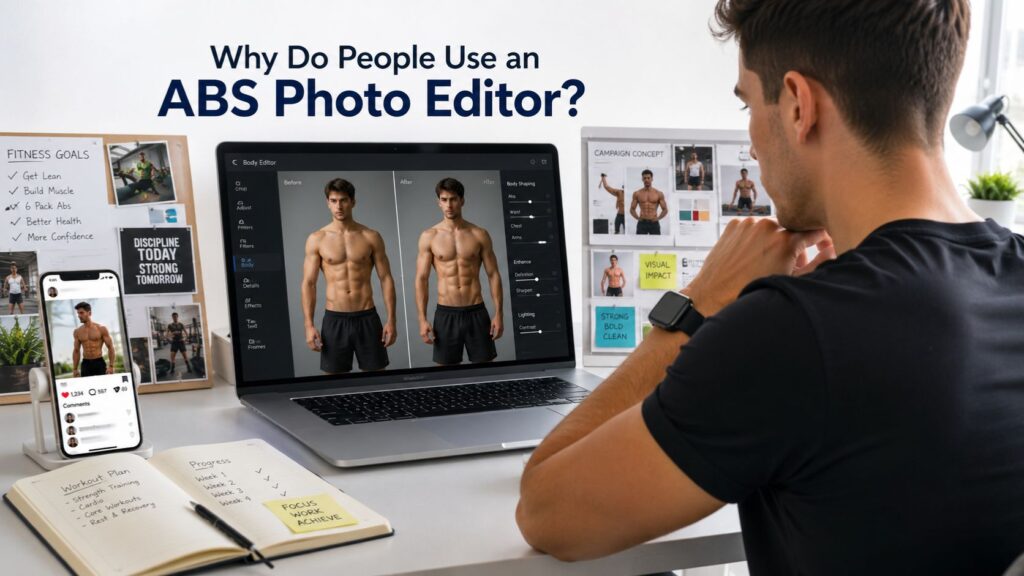
Why Do People Use an ABS Photo Editor?
There are several reasons as to why users opt for ABS photo editors. Some individuals just fancy the idea of trying out different styles while some use the edited photos for fun or promotional purposes.
Some fitness influencers even use such apps to come up with concept pictures before embarking on their transformation journeys. Body editing is even used by designers during advertisement creation.
Common reasons include:
- Creating engaging social media content
- Experimenting with creative photo edits
- Visualizing fitness goals
The key is to use these tools responsibly and avoid misleading audiences when sharing edited images.
How Does an ABS Picture Editor Work?
All modern apps which work with photo editors for creating abs include AI together with photo manipulations technologies. First of all, the app recognizes the form of the body in the photo, and secondly, it adds realistic muscle textures depending on the lighting, skin tone, and posture of the body.
Moreover, some of the advanced apps include manual tuning of muscles size, shadows, and mixing.
A typical editing process involves:
- Detecting the torso automatically
- Applying realistic six-pack muscle overlays
- Adjusting shadows, highlights, and skin tone for a seamless finish
The better the original image quality, the more realistic the final result will look.
Best ABS Photo Editor Tools
Several editing applications offer body enhancement features, but each provides a different editing experience.
PhotoDirector
Body editing technology powered by artificial intelligence in PhotoDirector makes it easier for users to emphasize muscles. It has an easy-to-use interface and more features such as skin softening, removing backgrounds, and portrait editing.
PicsArt
PicsArt is one of the widely used software applications to manipulate pictures. The app not only comes with filters and retouching but also allows manual alteration of body proportions along with muscle effects.
Photoshop
Adobe Photoshop remains one of the most powerful options for professional body editing. Although it requires more editing skills, it gives users complete control over shadows, lighting, textures, and muscle shaping.
Canva
While Canva isn’t designed specifically as a six pack photo editor, it can be used alongside AI-generated images and overlays to create creative fitness graphics for social media.
How to Add Six-Pack Abs to a Photo
Creating realistic abs requires more than simply placing a muscle overlay on an image. Paying attention to lighting, body posture, and natural shadows makes a significant difference.
Step 1: Choose a High-Quality Photo
Start with a clear image where your upper body is visible. Good lighting helps editing software detect body contours more accurately.
Step 2: Select an ABS Editor
Choose a trusted ABS pic editor or body editing application that offers realistic enhancement tools rather than exaggerated effects.
Step 3: Adjust Muscle Definition
Apply the six-pack effect gradually. Increase muscle visibility only until it matches the lighting and proportions of your body.
Step 4: Blend the Edit
Use brightness, contrast, and shadow adjustments to blend the edited muscles naturally into your skin tone.
Step 5: Review the Final Image
Zoom in and check for unnatural edges or inconsistent lighting before saving your edited photo.
Tips for Creating Realistic Results
The most convincing edits are often the most subtle. Instead of dramatically changing your appearance, focus on enhancing existing body contours.
Keep these suggestions in mind:
- Match the lighting with the original image.
- Avoid making muscles too large or overly defined.
- Blend shadows carefully for a natural finish.
Small adjustments usually produce much more believable results than heavy editing.
Common Mistakes to Avoid
Many beginners apply editing effects too aggressively, making the final image look unrealistic.
Avoid these common mistakes:
- Using poor-quality or blurry photos.
- Adding muscles that don’t match the body shape.
- Ignoring natural lighting and skin texture.
Taking a few extra minutes to fine-tune your edits can greatly improve the final result.
Looking for More Photo Editing Software?
If you’re interested in exploring more editing tools beyond body enhancement apps, it’s worth learning about other powerful editing programs that can handle everything from portrait retouching to graphic design.
You can explore our complete guide here:
The guide compares popular free photo editing software and helps you choose the right editor for beginners, photographers, designers, and content creators.
Conclusion
An ABS editor provides a unique opportunity to play around with your pictures in an innovative and fun way. If you are creating engaging social media content, planning your exercise regime or want to learn how to edit pictures professionally, the modern photo editors are perfect for doing this!
To get the best outcomes, you should opt for a good ABS photo editor, take quality pictures and work on lighting and shadows wisely to create realistic picture editing.
In case you are looking for a way to develop editing skills not only in the field of body image editing, then we would advise checking our guide to the best free alternatives to Photoshop.
Frequently Asked Questions
An ABS editor is a photo editing tool that digitally adds or enhances abdominal muscles in an image using AI or manual editing techniques.
Popular choices include Photo Director, Pics Art, and Adobe Photoshop because they provide flexible editing tools and realistic body enhancement features.
Yes. Many modern editing apps include automatic AI tools that make adding realistic abs simple, even for users with no editing experience.
Some editors offer free versions with basic editing tools, while advanced AI features may require a premium subscription.
Leave a Reply