
AI-based photo editing has undergone significant changes within the last couple of years. Previously complicated processes which demanded the use of professional knowledge and specific programs have become much easier with the help of artificial intelligence. With AI, you can edit selfies, professional photos and content for social media in seconds.
AI face editor is an example of an editor that applies artificial intelligence technology to detect features on your photo and automatically edit them. With the help of this technology, there is no need to manually change skin color, remove blemishes or brighten eyes – AI does everything for you and helps to achieve the desired result within minutes.
The rapid development of photo editors for faces based on artificial intelligence is connected with their ability to create professional edits using simple workflow. Influencers, photographers, businesses, content creators and ordinary people use AI face editors to edit portraits easily without the need to know about editing skills.
Modern AI editing tools offer the opportunity not only to correct some mistakes but also smooth out skin, remove extra elements, increase brightness, make faces sharper and more detailed, correct facial expressions, etc. Many platforms offer one-click corrections of your photos.
What Is an AI Face Editor?
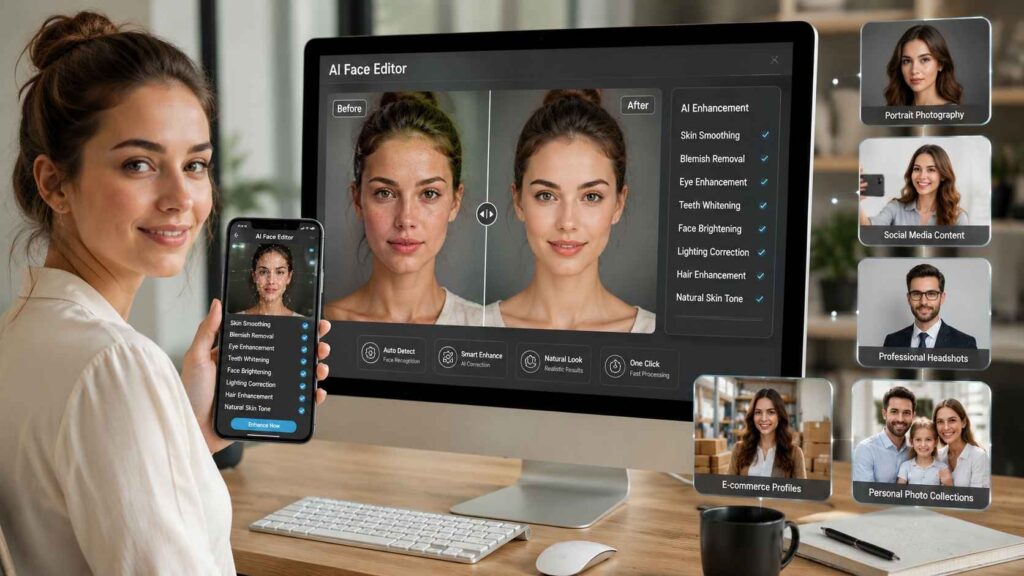
An AI face editor is an image editor which uses AI and machine learning to automatically recognize and enhance facial features. Instead of choosing various tools for editing photos, the AI program recognizes essential elements of the face – eyes, nose, lips, skin, and hair – and makes the right adjustments.
As compared to conventional image editing programs, the process of editing images using an AI face editor is simpler. With a few clicks, users can enhance their portraits without making them look unnatural.
These tools are widely used for:
- Portrait photography
- Social media content
- Professional headshots
- E-commerce profiles
- Personal photo collections
Because AI handles most of the editing automatically, even beginners can achieve polished and professional-looking results.
How Does AI Face Editing Work?
This technology functions through the analysis of many facial features in an image. Different facial points are recognized, and corrections are made using the rules learned from huge amounts of data.
For instance, in case an image has poor lighting, the dark areas of the picture are corrected without distorting the natural skin color. Any small flaws on the skin are erased without altering other parts of the image.
Most AI photo editor face tools can automatically identify:
- Skin texture
- Facial contours
- Eyes and eyebrows
- Lips and teeth
- Hair edges
- Background separation
After identifying these elements, the software applies enhancements that make the portrait look cleaner and more visually appealing.
The best AI editors are designed to improve photos subtly, ensuring that the final image still resembles the original person rather than looking heavily edited.
Why AI Face Editors Are Becoming So Popular
The process of professional photo editing has been greatly accelerated by artificial intelligence technology. Activities which would previously take several minutes or even hours are now possible within seconds.
Convenience is one of the main reasons for the popularity of AI face editing technology. It allows users not to have great editing skills or to buy costly software anymore.
Several factors have contributed to this growing demand:
- Faster editing process
- Easy-to-use interfaces
- Realistic editing results
- Consistent photo quality
- Time-saving automation
As AI technology continues to improve, these tools are becoming more accurate at recognizing facial details and producing natural enhancements.
Benefits of Using an AI Photo Editor Face
There are several benefits to using an AI face editing application regardless of whether you are a professional or a beginner. It takes less time to edit even when dealing with thousands of portraits.
Faster Photo Editing
The process of retouching portraits manually may include several processes of editing an image, such as skin fixing, light adjustment, blemish elimination, and sharpening. The use of AI allows automating all these procedures.
It means that instead of spending several minutes on the editing of every picture, it is possible to perform these operations much faster.
This makes AI editing particularly valuable for:
- Photographers
- Marketing agencies
- Social media managers
- Content creators
- E-commerce businesses
Faster workflows allow professionals to focus more on creativity rather than repetitive editing tasks.
Professional-Looking Results
Another major advantage of AI editing is that it helps in creating attractive yet natural portraits.
The smart algorithms scan the face thoroughly and make necessary changes. Unlike traditional methods that tend to blur the face and distort natural features, the smart algorithm retains the natural texture of the face.
This balance helps produce images suitable for:
- LinkedIn profile photos
- Corporate headshots
- Portfolio images
- Personal branding
- Online business profiles
Professional-looking portraits can leave a stronger impression across websites, social media platforms, and marketing materials.
Easy for Beginners
Many photo editing apps usually contain several hundred options or settings to manipulate photos. In AI face editors, most of these complexities are eliminated because everything is automated. Users only need to upload a photo, select an edit type, and then leave the task to the AI. Due to its simplicity, AI photo editing is convenient even for beginners. People with no experience in using editing applications can make portrait pictures look great without learning complicated stuff.
Consistent Editing Across Multiple Images
Maintaining a consistent editing style is important, especially for businesses and photographers working with large collections of portraits.
AI tools apply similar enhancements across multiple images, helping create a uniform visual appearance.
This consistency is useful for:
- Employee profile photos
- School portraits
- Event photography
- Product team pages
- Model portfolios
Instead of manually editing every image individually, AI speeds up the process while maintaining a professional look.
Common Features of an AI Face Editor
In modern times, AI-based image editing software provides much more than just filters. An efficient AI-based facial editor will be able to analyze faces and automatically enhance them to look better without losing the realism of the picture.
From selfies to professional portraits, this intelligent feature is saving time and avoiding manual correction efforts.
Skin Retouching
Skin retouching is one of the most commonly used AI features. Instead of making the skin look overly smooth, advanced AI tools reduce imperfections while preserving natural texture.
They can automatically improve:
- Uneven skin tone
- Minor blemishes
- Acne marks
- Fine lines
- Small wrinkles
The result is a cleaner and more polished portrait without making it look artificial.
Eye and Smile Enhancement
The eyes and smile often draw the most attention in a portrait. An AI photo editor face tool can enhance these areas automatically by adjusting brightness, sharpness, and color balance.
Common improvements include:
- Brightening eyes
- Sharpening facial details
- Whitening teeth
- Enhancing natural smiles
These small adjustments make portraits appear more vibrant while maintaining a realistic look.
Lighting and Color Correction
Poor lighting affects good photographs. Artificial intelligence editing software analyzes the photo and adjusts its brightness, contrast, highlights, and shadows. Users do not need to adjust different settings manually; one click helps fix all the lighting problems.
The advantage of this tool is that it can be used when people take photographs in bad light.
Background Enhancement
Many AI editors also help with the environment surrounding the subject of the image. They can eliminate any distractions, blur the background, and alter the background colors in order to highlight the facial features.
There are some tools that have even advanced to the stage where they can edit the background completely and automatically.
How to Use an AI Face Editor
One of the biggest advantages of AI editing is its simplicity. Even beginners can create professional-looking portraits without spending hours learning editing software.
Although different applications have unique interfaces, the overall process is very similar.
Upload Your Photo
Begin by choosing a picture of high quality. A high-quality photograph, which is well-lit, makes it easier for the AI to pick up on facial features.
A focused photograph always works better than out-of-focus photographs when it comes to editing.
Choose the AI Enhancements
Once the image is uploaded, most tools automatically detect the face and suggest enhancement options.
Depending on the software, you may find features such as:
- Skin smoothing
- Face enhancement
- Eye correction
- Smile enhancement
- Color adjustment
- Background improvements
Choose only the enhancements you actually need. Applying every available effect may make the image appear unnatural.
Review the Results
Consider the edited photo against the original photo before saving the image.
Check the facial features, skin texture, and lighting effects. Ensure that you do not edit the photo too much; if yes, then reduce the intensity such that the portrait becomes realistic.
AI Face Editor should always try to enhance the photo but not alter the look of the person.
Save the Final Image
Before you save the image, compare it with the original image.
Check for details like facial features, skin texture, and light effects. Also, make sure that you haven’t over-edited the image, and if you have, then reduce the intensity until the image looks real.
An AI Face Editor should aim to enhance the image without changing the appearance of the individual.
AI Face Editor vs Traditional Photo Editing
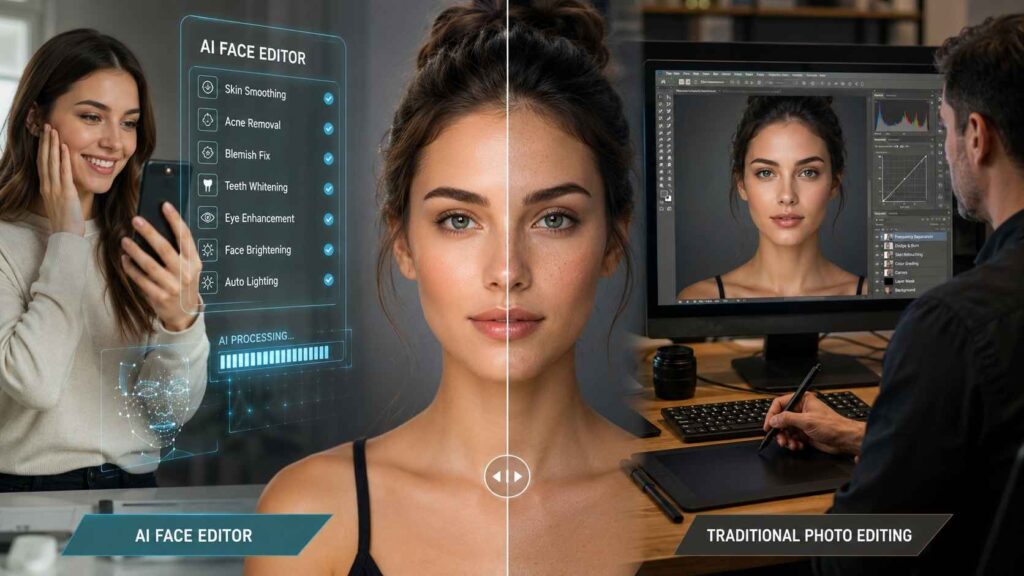
Both AI-based image editors and regular photo editors come with their pros. The choice of one or the other depends on your needs and preferences.
A face editing program based on AI technology will work fast and efficiently. The system performs routine tasks, including skin smoothing, blemish erasing, and lighting correction.
Regular editing programs allow full control over all changes made. Professional photographers and designers choose manual editing for precise retouching, effects application, and any further image manipulation.
If you search for more editing tools than just Photoshop, check our list of the best Photoshop alternatives here: https://photoretouchify.com/blog/best-free-alternatives-to-photoshop/
Many users combine both approaches using AI for quick enhancements and traditional editing software for final refinements.
Tips for Better AI Face Editing
Although AI makes editing easier, following a few best practices helps produce more natural-looking results.
- Start with a high-resolution image.
- Use good lighting whenever possible.
- Avoid applying every AI filter at once.
- Keep facial features natural instead of over-editing.
- Always review the final image before exporting.
Small adjustments usually create the most realistic and professional portraits.
Common Mistakes to Avoid
Even the best AI tools can produce poor results if used incorrectly.
Using Low-Quality Images
AI works best with clear, high-resolution photos. Blurry or pixelated images contain less information, making it difficult for the software to detect facial features accurately.
Over-Editing Portraits
Applying excessive skin smoothing or facial enhancements can make portraits look unrealistic. A natural-looking image usually creates a better impression than one with overly strong effects.
Ignoring Lighting
AI can improve lighting, but it cannot completely fix poorly captured images. Starting with a well-lit photograph always produces better editing results.
The Future of AI Face Editing
The role of artificial intelligence is making people edit their images differently. The latest version of AI is getting faster, better, and able to perform tasks that require professional editing skills.
In the future, there is going to be more improvement in the AI face editor such as realistic modifications, better facial detection, lighting fixes, and other restoration options. With continuous evolution in machine learning, AI photo editing is going to become very useful for everyone including photographers, business owners, content producers, etc.
However, it is important to do the editing responsibly by using AI for improving the quality of your photos without distorting their authenticity.
Conclusion
A face editing AI has revolutionized portrait editing by making it fast, easy, and convenient. With the ability to remove spots, improve the skin tone, enhance the lighting, and refine the features, such an AI photo editor tool makes it possible to have professional-grade portraits within seconds.
Be it photographers, graphic designers, businessmen, influencers, or anyone else with the goal of having improved images, an AI photo editor face tool can be of great help, saving one’s time and effort. An AI tool simplifies the process and provides everyone with the ability to have high-quality portraits.
In order to achieve the best possible results from AI, it is important to use it correctly. It is recommended to start with a high-resolution image and to use enhancements slowly and mindfully. This way, it is possible to create attractive yet real-looking portraits.
With the development of AI, face editing will only get better, and it will become increasingly necessary in modern photo editing processes.
Leave a Reply